Canonical tag SEO is one of the most misunderstood topics in search engine optimization. You set up your pages correctly. Google still indexes the wrong URL. Your rankings are split across duplicates. Your link equity drains into pages you never intended to rank. This is exactly what happens when canonical tag SEO is ignored or implemented incorrectly. In this guide, you get 5 powerful rules to follow so Google indexes the right pages, every single time.
Table of Contents
What Is Canonical Tag SEO?
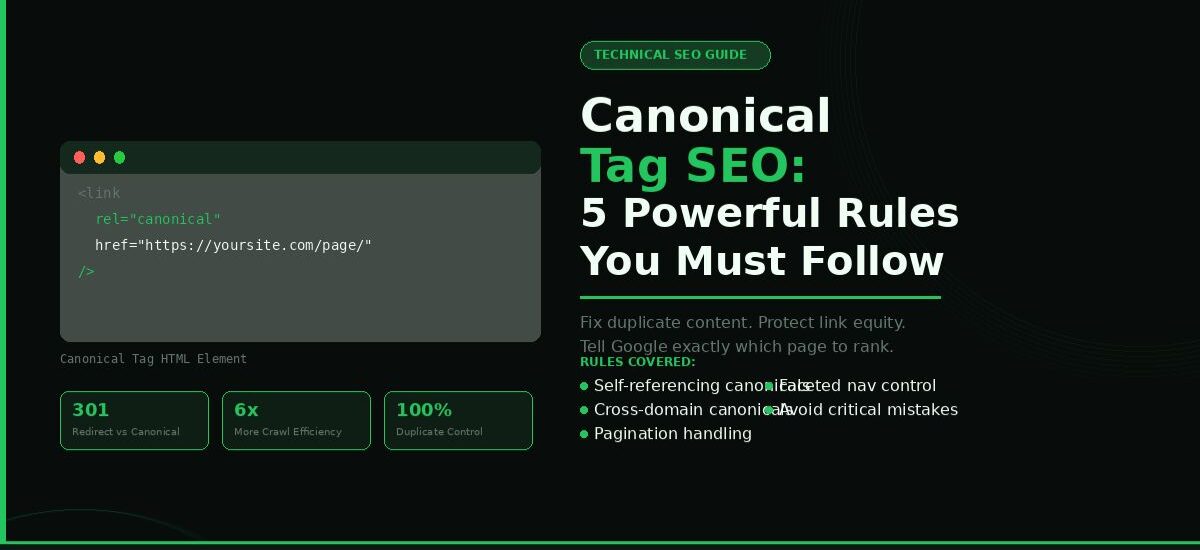
A canonical tag is an HTML element placed inside the
section of a webpage. It points search engines to the preferred or master version of a URL when multiple URLs serve the same or similar content.Canonical tag SEO is the practice of using this element correctly across your entire site so search engines consolidate ranking signals, link equity, and indexing authority onto the URLs you actually want to rank. Without it, Google makes its own choice. That choice is often wrong.
Why Duplicate Content Kills Your Rankings
Without correct canonical tags, duplicate content silently destroys your SEO. Google finds multiple URLs serving identical or near-identical content. It does not know which one to rank. So it splits your authority across all versions. Your strongest page gets weaker. Your weaker pages never get strong enough to rank.
What triggers duplicate content on most sites:
- HTTP vs HTTPS versions of the same page are still accessible
- www vs non-www URLs both resolving without a redirect
- Trailing slash vs no trailing slash (/page vs /page/)
- URL parameters added by tracking tools (?utm_source=newsletter)
- Paginated pages competing with main category pages
- Session ID parameters appended automatically by your CMS
- Printer-friendly or mobile-specific page versions
Canonical Tag vs 301 Redirect
A 301 redirect permanently sends users and bots from one URL to another. The original URL becomes inaccessible. A canonical tag keeps both URLs live but tells Google which one to index and credit. Use a redirect when you want to permanently consolidate two URLs. Use a canonical tag when both URLs need to remain accessible, but one should receive ranking credit.
For a full picture of how crawlability affects your indexing, read: How to Fix Website Crawl Errors and Get Indexed Faster
Rule 1: Understand What a Canonical Tag Actually Does
The Core Function of a Canonical Tag
The canonical tag has one job: to tell Google which URL version to index when duplicates exist. It sits in the
section of your HTML. Search engines read it during the crawl phase. If the tag is correct and consistent with other signals, Google follows it. If it conflicts with your sitemap, internal links, or redirect setup, Google ignores it entirely.Every canonical tag sends Google a clear message about URL consolidation. The tag on any duplicate page points to the master URL. Google concentrates all PageRank, backlink authority, and indexing priority on the preferred version.
Google’s documentation confirms that canonical signals work in combination with your internal linking structure, XML sitemap, and hreflang tags. A canonical tag contradicting those signals gets overridden. All signals must point in the same direction for the tag to work as intended.
Key implementation facts:
- Canonical tags are hints, not commands. Google treats them as strong hints. It does not guarantee compliance.
- Self-referencing canonicals protect pages that do not have obvious duplicates.
- Canonical tags on redirected URLs are ignored. Always point canonicals to live 200-status pages.
- Multiple canonical tags on one page confuse Google. It ignores both and makes its own determination.
Why Google Does Not Always Follow Your Canonical Tag
Google treats canonical tags as a strong hint, not a hard command. When other signals on your site contradict your canonical tag, Google ignores it and makes its own choice. Understanding when and why this happens prevents months of troubleshooting.
Most common reasons Google overrides your canonical tag:
- Your XML sitemap lists a different URL as the primary version than the one your canonical tag specifies
- Your internal links point to the non-canonical URL more frequently than the canonical version
- The canonical page has thin content that Google does not consider worth indexing
- The canonical URL returns a non-200 HTTP status code, such as a redirect or error response
- You set canonical tags on pages that themselves redirect to other URLs, creating a conflicting signal
- The canonical URL is blocked by robots.txt, making it inaccessible to Googlebot despite the tag
Fix all conflicting signals before relying on your canonical tags to work. A canonical tag on a technically compromised page is a wasted signal.
Rule 2: Apply Canonical Tag SEO on Every Indexable Page
Self-Referencing Canonicals Are Not Optional
Canonical tag SEO applies to every page on your site, not just pages with obvious duplicates. Every indexable page needs a self-referencing canonical tag. This means the page points to itself as the preferred version:
This protects you from accidental duplicates you did not create deliberately. Session IDs, tracking parameters, and filter combinations generate new URLs automatically on modern CMS platforms. A self-referencing canonical stops those from competing with your original page.
Self-referencing canonicals deliver these specific benefits:
- Consolidate PageRank to the intended URL, preventing authority dilution from parameter-generated variations
- Prevent crawl budget waste on URLs created by UTM parameters, session IDs, and filter combinations
- Confirm to Google which exact URL format you prefer, including trailing slash preference and protocol version
- Protect your rankings when third-party analytics or advertising tools append parameters to your URLs automatically
WordPress, Yoast SEO, Rank Math, and most major CMS platforms add self-referencing canonicals automatically. Verify they work correctly on your site by checking the page source with Ctrl+U and searching for ‘canonical.’
How to Audit Your Canonical Tags Site-Wide
A full canonical audit identifies every broken, missing, or conflicting canonical tag across your entire site. Run it with Screaming Frog SEO Spider or Sitebulb by crawling your domain and exporting the canonical tag report. Then check systematically for each issue type.
Canonical Tag Status Reference Table:
- Self-referencing: Page points to itself. Correct, no action needed.
- Cross-page canonical: Points to a different URL. Verify it is intentional.
- Canonical to redirect: Points to a 301/302 URL. Update to the final destination URL.
- Canonical to 404: Points to a broken URL. Fix immediately.
- Missing canonical: No tag present. Add self-referencing canonicals.
- Conflicting canonicals: Multiple tags found. Remove duplicates, keep one.
Run this audit every quarter. Also run after every CMS update, plugin change, or site migration. Canonical tags break without warning in these events.
For a complete guide on technical site auditing, read: 5 Smart Ways to Do a Full SEO Audit in 2026
Rule 3: Handle Pagination and Faceted Navigation Correctly
Pagination and Canonical Tags
Paginated content creates some of the most common canonical tag mistakes. An e-commerce category page with 10 pages of products needs a clear canonical strategy. Getting it wrong wastes crawl budget and splits your ranking signals across pages that should not compete with each other.
For blog archives and category pages, each paginated page is unique and serves a purpose. Use self-referencing canonicals on each page. Do not point all paginated pages back to page 1. Google confirmed this is incorrect. It causes Google to ignore pages 2 through 10 entirely, leaving products and posts on those pages unindexed.
Correct pagination canonical structure:
- Page 1: Self-referencing canonical pointing to /category/
- Page 2: Self-referencing canonical pointing to /category/page/2/
- Page 3: Self-referencing canonical pointing to /category/page/3/
- Never use rel=”next” and rel=”prev” as replacements. Google dropped support for these in 2019.
Faceted Navigation and Parameter Handling
Faceted navigation on e-commerce sites generates thousands of URL variations. Filtering by color, size, price, and brand creates combinations like /shoes/?color=red&size=10&brand=nike. These pages are rarely unique enough to deserve individual indexing. Set canonical tags on all filtered URLs pointing back to the main category page.
Combine canonical tags with robots.txt blocking or URL parameter handling in Google Search Console for full control over which parameter-generated URLs Googlebot processes.
Case Study: E-Commerce Faceted Navigation Fix
Site: Online clothing store with 50,000 products and aggressive faceted navigation.
Problem: Over 200,000 indexed URLs created by filter combinations. The crawl budget was exhausted on filter pages instead of product pages.
Action: Applied canonical tags to all filtered URLs pointing back to clean category pages. Combined with Google Search Console URL parameter handling.
Result: Indexed URL count dropped by 68%. Google focused its crawl on the 50,000 actual product pages. Organic traffic increased 34% over six months.
Key insight: Fixing canonical tags on faceted navigation pages directly improved crawl efficiency and indexing speed for revenue-generating pages.
For more on how technical SEO fixes improve organic traffic, read: How to Fix Website Crawl Errors and Get Indexed Faster
Rule 4: Use Canonical Tags Correctly Across Domains
Cross-Domain Canonical Tags for Syndicated Content
Cross-domain canonical tags solve a specific content syndication problem. You publish an article on your site. A large publication syndicates the article on its domain. Now two URLs serve nearly identical content. Without a canonical tag, Google chooses which version to rank. It often picks the larger domain, which means your original content loses visibility and the domain authority benefit.
This tells Google your version is the original. Google consolidates the link equity from any backlinks pointing to the syndicated version back to your original page. Your domain authority grows from links you did not even build directly.
Cross-domain canonicals work well when:
- You actively syndicate content to news sites, Medium, or industry publications
- Your content appears on partner sites or affiliate platforms
- You run multiple brand domains with overlapping content
Cross-domain canonicals do not work well when:
- The syndicating site has a much higher domain authority and refuses to add the canonical tag
- Your original page has thin content compared to the syndicated version Google prefers
- The canonical tag conflicts with other on-page signals like the publication date or author metadata
Case Study: Content Syndication Done Right
Site: B2B SaaS company publishing weekly guides and syndicating to three industry publications.
Problem: Google indexed syndicated versions more often than the original. The company blog got zero ranking benefit from its own content.
Action: Negotiated canonical tags on all syndicated articles pointing back to the original blog posts.
Result: Blog gained rankings for 47 target keywords within 90 days. Organic sessions increased 52%. Backlinks built to syndicated articles now pass equity to the original domain.
Key insight: Syndication without canonical tags is free content marketing for someone else’s domain authority.
For a deeper understanding of how backlink strategy and canonical signals work together, read: Best Link Building Strategies for Small Businesses in 2026
Rule 5: Avoid the Most Costly Canonical Tag Mistakes
Mistakes That Destroy Your Canonical Tag Strategy
Canonical tag SEO fails in predictable ways. The mistakes follow patterns that appear across thousands of websites. Knowing them saves you months of troubleshooting and ranking loss.
The five most damaging canonical tag mistakes:
- Canonicalizing paginated pages to page 1. This prevents all products and posts on pages 2 onward from getting indexed. Every page in a paginated series needs its own self-referencing canonical.
- Setting canonical tags on noindex pages. A noindex tag tells Google not to index the page. A canonical tag tells Google this is the preferred version to index. These two instructions contradict each other. Google gets confused and ignores both signals.
- Using canonical tags instead of 301 redirects. If you want to permanently consolidate two URLs, use a 301 redirect. Using a canonical when a redirect is appropriate produces a weak signal that Google often overrides.
- Pointing canonical tags to non-HTTPS URLs. If your site is HTTPS, every canonical tag must point to an HTTPS URL. A canonical URL pointing to HTTP signals an inconsistency and undermines your SSL migration.
- Leaving canonical tags on staging site pages pointing to the live site. Always noindex your staging environment with a robots.txt block as well.
How to Test and Validate Your Canonical Tags
Testing canonical tags before and after implementation prevents costly mistakes. Regular validation catches issues introduced by CMS updates, plugin changes, and site migrations.
Tools to validate your canonical tags:
- Google Search Console URL Inspection Tool: Enter any URL and see which canonical URL Google has selected. If it differs from your intended canon, investigate the conflicting signals.
- Screaming Frog SEO Spider: Crawl your entire site and filter by canonical URL to see every tag in one exportable view. Identifies missing, broken, and conflicting tags at scale.
- Browser Page Source: Press Ctrl+U on any page and search for ‘canonical’ to verify the tag appears correctly in the section.
- Ahrefs or Semrush Site Audit: Both tools flag canonical tag issues as part of their technical SEO audit features.
- Google Rich Results Test: Useful for checking specific pages when you suspect rendering issues are affecting canonical tag visibility.
Validate your canonical tags after every major site update, CMS migration, or HTTPS transition. These events frequently break canonical configurations without triggering obvious errors.
For ongoing technical SEO monitoring, including internal linking, crawl budget, and canonical signals, read 7 Powerful Internal Linking Strategy Tips (2026)
Expert Insights on Canonical Tag SEO
Google’s John Mueller has addressed canonical tag SEO in multiple public Q&A sessions. His guidance consistently emphasizes that canonical tags work best when they align with all other signals on a site. Conflicting signals lead to Google making its own choice.
According to Google’s official canonicalization documentation, canonical selection considers hreflang tags, sitemap priority, redirect configuration, and overall page content quality, not just the canonical tag alone.
Moz’s research on canonicalization confirms that sites with consistent canonical implementation see up to 20% improvement in crawl efficiency compared to sites with mixed or missing canonical signals.
Sites with strong canonical tag hygiene share three consistent characteristics:
- Every indexable page has a self-referencing or intentional cross-page canonical tag
- All canonical tags point to live, 200-status HTTPS URLs with no redirect hops
- Canonical signals align completely with the sitemap and internal link structure
For additional page-level optimization signals, read: Meta Description Best Practices: Write Snippets That Get Clicks
Frequently Asked Questions
What is a canonical tag in SEO?
A canonical tag is an HTML element that tells search engines which version of a URL is the preferred one for indexing. It sits in the
section of a webpage and consolidates ranking signals and link equity when duplicate or similar content exists across multiple URLs. It is one of the most important tools in technical SEO for maintaining a clean, crawlable site structure.Does Google always follow canonical tags?
No. Google treats canonical tags as strong hints, not hard directives. If other signals on your site contradict the canonical tag, including your XML sitemap, internal links, or redirect configuration, Google ignores it and makes its own determination. Aligning all signals is essential for reliable canonical tag compliance.
Should every page have a canonical tag?
Yes. Every indexable page needs at a minimum a self-referencing canonical tag. This protects against accidental duplicates created by URL parameters, tracking codes, and session IDs added by CMS platforms, analytics tools, and advertising networks.
What is the difference between a canonical tag and a 301 redirect?
A 301 redirect sends users and bots from one URL to another permanently. The original URL becomes inaccessible. A canonical tag keeps both URLs accessible but tells Google which one to index and receive ranking credit. Use a 301 redirect for permanent URL consolidation. Use a canonical tag when both URLs need to stay live.
How do canonical tags help with duplicate content?
Canonical tags consolidate link equity, crawl budget, and ranking signals from duplicate URLs into a single preferred URL. This prevents your own pages from competing against each other in search results and gives Google a clear instruction on which version to rank and index.
Can I use canonical tags for syndicated content on other websites?
Yes. Cross-domain canonical tags allow a syndicating website to point back to your original content as the preferred version. This ensures your original article receives ranking credit even when larger sites republish it. The syndicating site adds the canonical tag pointing to your domain.
How often should I audit my canonical tags?
Run a canonical tag audit every quarter. Also run one after any major site update, CMS migration, domain change, or HTTPS transition. These events frequently break canonical tag configurations without triggering any obvious warnings in Google Search Console.
What tools do SEO professionals use for canonical tag audits?
The combination of Google Search Console, Screaming Frog SEO Spider, and Ahrefs Site Audit covers 95% of canonical tag analysis needs. Google Search Console shows what Google actually sees. Screaming Frog replicates the crawl locally. Ahrefs adds backlink data to identify which canonicalized pages carry link equity worth consolidating.
Final Thoughts
Canonical tag SEO is not complicated when you follow a consistent system. Every indexable page needs a canonical tag. Every canonical must point to a live HTTPS URL. Your canonical signals must align with your XML sitemap, internal links, and redirect configuration.
Follow these five rules. Audit your canonical tags quarterly. Test after every major site change. When all technical SEO signals point in the same direction, Google does exactly what you intend. Your organic visibility, crawl efficiency, and link equity all improve as a direct result.
Need help with technical SEO and quality backlinks? Visit: BacklinksHatch.com Guest Post Services