Your title tag is the first thing a searcher sees. It takes less than a second to decide whether to click or scroll past. Most websites lose traffic not because of poor rankings, but because of weak titles.
Title tag optimization is the process of writing page titles that rank well and earn more clicks. Done right, it bridges the gap between position and performance. This guide gives you 7 actionable rules built on data, search behavior, and real-world testing. If you have not yet done your keyword research for beginners, start there first. Your title tags are only as strong as the keywords behind them.
1. Understand What Makes a Title Tag Work
Before writing a single word, you need to know what Google and searchers actually respond to. A title tag serves two audiences. Google reads it to understand your page topic. The searcher reads it to decide if your page solves their problem. A great title satisfies both.
What Google Looks for in a Title Tag
Google evaluates your title for topical relevance, keyword placement, and intent match. If your title does not reflect the content on the page, Google rewrites it. Studies show Google rewrites title tags in over 60% of cases when they are too long, stuffed with keywords, or misaligned with page content.
Google favors titles that are clear, specific, and directly tied to search intent signals. This means using primary keywords naturally, avoiding repetition, and keeping the structure logical. Think of your title as a label, not a sales pitch. The cleaner the label, the more Google trusts it.
Google’s algorithm also cross-references your title with your H1 tag, page content, and structured data markup. When these three align, Google is far less likely to override your title in search results. Misalignment is the single biggest reason titles get rewritten. Keep your title, H1, and first paragraph all pointing at the same topic and intent.
What Searchers Look for in a Title Tag
Searchers scan fast. Eye-tracking research from Nielsen Norman Group shows users spend roughly 1.17 seconds reading a search result title before deciding. Your title needs to communicate value immediately.
Searchers respond to specificity, numbers, power words, and relevance to their query. A title like “SEO Tips” loses to “7 SEO Tips That Doubled Organic Traffic in 90 Days” every time. The second title tells the reader exactly what they get. It reduces uncertainty. That reduction in uncertainty is what drives the click.
Search engine psychology also responds to social proof signals inside titles. Words like “proven,” “tested,” and “results” activate trust before the user even lands on your page. Pair this with a specific number and a direct benefit, and your title consistently outperforms generic alternatives. This is why expert-led content with real data in the title earns clicks even from position 4 or 5 over a vague result at position 2.
2. Title Tag Optimization: Get the Keyword Placement Right
Keyword placement inside your title is not guesswork. There is a clear pattern that works.
Put Your Primary Keyword at the Front
Front-loading your keyword is one of the highest-impact moves in title tag optimization. Google gives more weight to words at the beginning of a title. Searchers also read left to right, so your keyword appears before their eyes drift away.
Compare these two titles: “How to Write Better Titles for SEO and Title Tag Optimization” versus “Title Tag Optimization: How to Write Titles That Rank and Get Clicked.” The second version puts the keyword first, then delivers the benefit. This structure consistently outperforms buried keywords in A/B tests across content-heavy sites.
Tools like Ahrefs and Semrush confirm that titles with keywords in the first three words see higher average click-through rates, especially for informational and commercial intent pages. Front-loaded keywords also survive truncation better. When Google cuts a long title at 60 characters, the keyword is already visible in the snippet.
Another reason to front-load: voice search optimization. Smart speakers and voice assistants read the first part of a result title first. If your keyword is buried, voice search users never hear your page described accurately. As voice queries grow in volume, front-loaded keywords become even more important for capturing this traffic segment.
Match Keyword to Search Intent
Placement alone is not enough. Your keyword must match the user intent behind the query. There are four intent types: informational, navigational, commercial, and transactional. Each one requires a different title structure.
For informational intent, lead with the keyword and follow with a descriptor: “Title Tag Optimization: A Complete Guide.” For transactional intent, add action words: “Buy SEO Tools That Automate Title Tag Optimization.” Matching intent reduces pogo-sticking (when users click back immediately), which signals to Google that your result is not useful. Fewer pogo sticks mean better rankings over time.
Intent mismatch is one of the most underdiagnosed CTR problems. You rank for a keyword, but your title signals the wrong type of content. A transactional keyword paired with an informational title loses clicks to a competitor whose title matches what the searcher wants to do. Audit your top 20 ranking pages and compare the intent your title signals against the intent Google has confirmed through its top results. Fix the mismatches first.
3. Follow the 60-Character Rule Without Compromise
Google truncates titles that exceed roughly 600 pixels in width, which typically equals 55 to 60 characters. Truncated titles hurt click-through rate because searchers miss your value proposition.
How to Count Characters Effectively
Use tools like Portent’s SERP Preview Tool, Mangools, or Yoast SEO to measure pixel width before publishing. Do not rely on character count alone. Letters like “W” and “M” are wider than “i” or “l”, so pixel width is the accurate metric.
Keep your most important information within the first 55 characters. Your keyword, your primary benefit, and your brand name (if space allows) all need to fit. If your keyword is long, trim the rest of the title. Never cut the keyword short to fit the brand name. The keyword drives clicks.
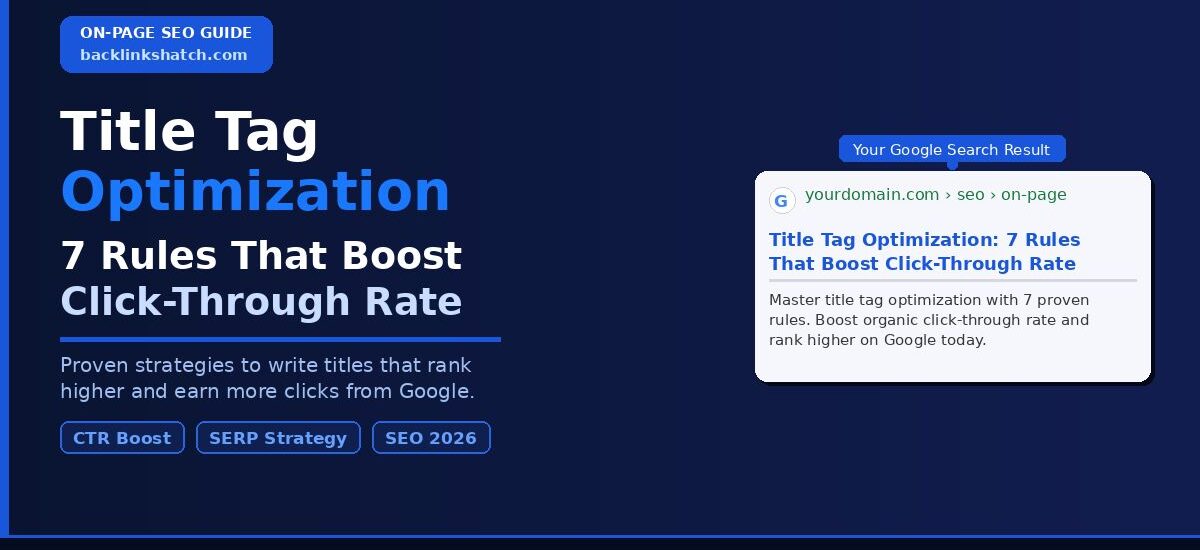
A strong formula: [Primary Keyword]: [Specific Benefit or Number] [Optional Brand]. Example: “Title Tag Optimization: 7 Rules That Boost CTR | SiteName.” This clears 60 characters, includes the keyword, states a benefit, and uses a number for specificity.
One more consideration: mobile search. On mobile devices, Google displays even fewer characters before truncating, sometimes as few as 50. With mobile searches now accounting for over 60% of all Google queries, optimizing for 55 characters instead of 60 gives you a safer buffer. Test your titles on both desktop and mobile SERP preview tools before publishing.
Tools to Measure Title Length
| Tool | Free/Paid | Key Feature |
|---|---|---|
| Portent SERP Preview | Free | Pixel-accurate preview |
| Yoast SEO (WordPress) | Free/Paid | Real-time title length meter |
| Mangools SERPChecker | Paid | Live SERP simulation |
| Screaming Frog | Paid | Bulk title length audit |
| Google Search Console | Free | Actual CTR data per title |
Beyond these tools, use Google Search Console as your performance baseline. Filter by page, check impressions and CTR, then compare before and after a title change. This gives you real data tied to your actual audience, not simulated results.
4. Use Numbers and Power Words Strategically
Numbers in titles outperform text-based titles in split tests. BuzzSumo analyzed over 100 million article titles and found that list-based titles with numbers generate significantly higher engagement. The same principle applies to SERP titles.
Why Numbers Work in Title Tags
Numbers create cognitive specificity. When a searcher sees “7 Rules,” their brain registers a concrete promise. They know exactly what they get. Vague titles like “Rules for Better Titles” offer no such promise.
Odd numbers outperform even numbers in titles, according to multiple content marketing studies. “7 Rules” consistently outperforms “8 Rules” in A/B tests. The leading theory is that odd numbers feel less round, more researched, and more credible. Also, specific numbers beat rounded numbers. “11 Tools” beats “10 Tools” because 11 feels researched rather than rounded.
Beyond numbers, powerful words like “proven,” “fast,” “free,” “complete,” “exact,” and “quick” trigger emotional responses. These words signal value and urgency without overpromising. Use one or two per title. Any more and the title reads like clickbait, which damages trust and increases bounce rate.
Year-based titles also deliver strong CTR for evergreen topics. Adding “2026” to a title signals freshness to both Google and the searcher. Google’s freshness algorithm rewards recently updated content for certain query types, especially “best of” and “how to” searches. Combine a year, a number, and a power word for maximum click pull: “7 Proven Title Tag Rules That Boost CTR in 2026.”
Combining Numbers with LSI Keywords
Latent semantic indexing (LSI) keywords are terms closely related to your primary keyword. For title tags, weaving in one LSI keyword alongside your number strengthens both relevance and appeal.
For example: “7 SEO Title Tag Rules That Improve Organic Click-Through Rate” uses the primary keyword, one LSI keyword (SEO title tag), and a benefit-driven phrase (organic click-through rate). This approach signals topical depth to Google while giving the searcher multiple reasons to click.
To find strong LSI keywords for your titles, use Google’s People Also Ask boxes, the related searches at the bottom of SERPs, and tools like LSIGraph or Semrush’s Keyword Magic Tool. Pick one LSI term that fits naturally inside your title without making it feel crowded. The goal is relevance, not stuffing.
5. Write for Search Intent, Not Just Keywords
Search intent alignment is the single biggest factor in whether your title earns a click or gets ignored.
Identifying the Right Intent for Your Page
Start with the SERP itself. Search your target keyword and study the top 5 results. Look at their title structures. Are they using “how to”? Are they using list formats? Are they comparison pages? The pattern in the top results reflects what Google has confirmed users want.
For title tag optimization, the top results mix guides, numbered lists, and “best practices” formats. This tells you the intent is informational with a preference for structured, actionable content. Your title should reflect that. A product page title fails here. A guide or list title wins.
Once you identify the dominant intent pattern, model your title after it but differentiate it with a stronger benefit, a specific number, or a unique angle. Copying the structure is smart. Copying the title is not. You need distinction within alignment.
Intent analysis also applies when you update old content. If your page ranked well six months ago but CTR is dropping, run the SERP again. The dominant intent for your keyword may have shifted. Google updates its understanding of intent as search behavior evolves. A title that matched intent in 2024 may no longer match in 2026. Re-audit intent for your top 10 pages every six months.
Adjusting Titles for Different Content Types
Different page types need different title structures. Use these as your baseline:
- Blog posts: [Number] [Keyword] Tips, Strategies, or Rules That [Specific Benefit]
- Product pages: [Keyword]: [Feature or Benefit] + [Brand or Trust Signal]
- Category pages: [Keyword]: Browse [Product Type] at [Differentiator]
- Landing pages: [Action Word] [Keyword] That [Transforms Specific Problem]
These structures keep NLP-friendly phrasing intact while maximizing relevance to query intent. Google’s natural language processing rewards titles that read like a human wrote them for humans, not for bots.
For e-commerce and product SEO, Google’s own documentation recommends keeping titles descriptive and unique per page. Avoid templated titles like “Buy [Product] Online” across hundreds of pages. Each page needs a unique intent signal to avoid internal cannibalization.
6. Avoid These Common Title Tag Mistakes
Most title tag problems fall into three categories: over-optimization, under-optimization, and formatting errors. Fixing these alone lifts CTR measurably.
Keyword Stuffing Kills Rankings and Clicks
Keyword stuffing in titles is a direct signal to both Google and searchers that your content is low quality. Titles like “Title Tag Optimization SEO Title Tags Best Title Optimization Tips” fail on both fronts. Google deprioritizes them. Searchers ignore them.
Your title needs one clear primary keyword, one supporting LSI term at most, and a benefit or action phrase. That is the complete formula. Do not repeat the keyword. Do not use synonyms back to back. Write the title as a sentence a real person would read, not as a keyword list dressed up with punctuation.
A/B testing tools like Search Pilot confirm that de-stuffed, natural titles consistently outperform keyword-heavy versions in CTR, even when the keyword-heavy version ranks slightly higher. If you have been stuffing titles, run a de-stuffing audit and test the cleaner versions. The CTR lift typically shows up within 30 days.
Also watch for near-duplicate keyword repetition. Titles like “Best SEO Title Tags: Top Title Tag Tips for SEO” repeat concepts without adding value. Each word in your title should earn its place. If a word does not add meaning, a number, or a benefit, remove it. Tighter titles outperform padded ones in every test.
Duplicate and Generic Titles Damage Your Entire Site
Duplicate title tags across multiple pages confuse Google’s crawl and indexation process. When Google sees two pages with identical or near-identical titles, it struggles to determine which page to rank. One page gets devalued or cannibalizes the other.
Run a title tag audit using Screaming Frog or Semrush’s Site Audit tool. Look for missing titles, duplicate titles, and titles that are too short (under 30 characters) or too long (over 60 characters). Fix duplicates by making each title unique to the page’s specific topic and value.
Generic titles are equally damaging. Pages titled “Home,” “Blog,” “Services,” or “Page 1” provide zero keyword signal and zero user value. Every page on your site needs a unique, descriptive, keyword-targeted title. This is especially critical for e-commerce category pages and paginated content (page 2, page 3), which often get overlooked in title audits but receive significant crawl budget from Google.
This type of on-page audit pairs well with a broader link building strategy for small businesses. Fixing your titles improves CTR. Building quality backlinks improves domain authority. Both together compound your organic growth faster than either tactic alone.
7. Test, Measure, and Iterate Your Titles
Title tag optimization is not a one-time task. The highest-performing titles come from systematic testing and data review.
How to Run a Title Tag A/B Test
Use Google Search Console as your baseline. Open the Performance report, filter by a specific page, and record the current CTR and impressions. Change the title. Wait three to four weeks for Google to re-crawl and re-index the new title. Then compare CTR for the same time period.
For faster, more reliable testing, use tools like Search Pilot or RankSense that run controlled SERP experiments. These platforms split-test titles across similar page groups and give you statistically significant results. The key metrics to track are CTR (click-through rate), average position, and impressions. A title change that improves CTR without hurting position is a win. A title change that improves CTR and improves position is a major win.
Set a testing schedule. Prioritize pages in positions 3 to 10 with impressions above 500 and CTR below the positional average. These pages have traffic potential but underperforming titles. They are your fastest wins. Pages in position 1 with strong CTR should be left alone unless you have a specific hypothesis to test.
Understanding how long backlinks take to affect rankings helps you separate title tag effects from link-building effects when reviewing your test results. Both signals move rankings and CTR. Knowing which is responsible for a change helps you make smarter optimization decisions.
Case Study: CTR Improvement Through Title Testing
A B2B SaaS company running a content-heavy blog noticed its top-ranking pages had below-average CTR. Pages ranking in positions 3 to 6 were getting less than 2% CTR, significantly below the industry average of 5 to 8% for those positions.
Their original title structure was generic: “SEO Guide: Everything About Title Tags.” They tested a revised version: “Title Tag Optimization: 7 Proven Rules to Boost Your CTR Fast.”
Results after 30 days:
- CTR improved from 1.8% to 4.6% on the tested pages
- Average position improved from 4.2 to 3.1 (driven by improved engagement signals)
- Organic clicks increased by 156% with no change in the rankings strategy
The changes made: added a specific number, added a direct benefit phrase, front-loaded the primary keyword, and added “you”-focused language. The same company then applied this formula across its top 50 pages. Within 90 days, overall organic traffic from those pages increased by 43%. This is a repeatable process, not a one-off win.
For sites looking to amplify these results beyond on-page work, pairing title optimization with white hat link building creates a compounding effect. Better titles earn more clicks. More clicks signal relevance. Higher authority from backlinks reinforces ranking. All three working together produce results faster than any single tactic.
Frequently Asked Questions
How long should a title tag be?
Keep it between 50 and 60 characters. Google displays approximately 600 pixels of title width. Going over that truncates your title. Use a SERP preview tool to check pixel width before publishing.
Does changing a title tag affect my rankings?
Yes, but not always negatively. A well-optimized title improves both rankings and CTR. Always test changes on lower-priority pages first, then apply winning formulas to high-value pages.
How often should I update title tags?
Review title tags every three to six months. Run a CTR audit in Google Search Console and flag pages with over 500 impressions but below 3% CTR. Those are your priority rewrites.
What is a good CTR for organic search results?
Position 1 averages around 27 to 30% CTR. Position 3 averages 8 to 10%. Position 5 averages 4 to 6%. If your page CTR falls below the average for its position, your title is underperforming.
Should I include my brand name in the title tag?
Include it at the end if space allows. For newer or smaller brands, prioritize the keyword and benefit over the brand name. Google sometimes appends your brand name automatically.
What happens if Google rewrites my title tag?
Google rewrites titles it considers misleading, too long, stuffed, or misaligned with page content. To prevent rewrites: keep titles under 60 characters, match the title to your H1, and avoid keyword stuffing.
Conclusion
Every extra click starts with a better title. Title tag optimization is one of the highest-leverage SEO activities you do because it improves performance across every page you touch.
Apply these 7 rules systematically. Front-load your keyword. Match search intent. Keep it under 60 characters. Use numbers and power words. Avoid stuffing and duplication. Then test everything with real data.
Your rankings get you on the field. Your title tag wins the click. Start auditing your top pages today and rewrite the ones with deep impressions but low CTR. The traffic is already there. Your title just needs to earn it.
Want to go deeper on your overall SEO strategy? Read our complete keyword research guide for beginners to build a solid foundation before optimizing every title on your site.
| Ready to Improve Your CTR? Open Google Search Console right now. Filter by pages with 500+ impressions and under 3% CTR. Those are your title tag rewrite targets. Start with the top 5 pages and apply the 7 rules from this guide. Need help building authority alongside your on-page SEO? Read our guide on link building strategies for small businesses. |